

Offers & E-signatures
Offer letters and e-signatures. Keep hiring moving.
Prepare candidate documents from reviewed templates, send the offer and follow its acceptance without separating the document from the application.
For teams coordinating offer preparation, candidate acceptance and the next joining steps.

Part of Tarkflo Hire
The offer should not break the hiring trail.
Bring the template, candidate-specific information and signing status into the same process that led to the decision.
See the connected hiring platformReuse a reviewed starting point
Keep document templates rather than editing an unrelated copy for every candidate.
Review the candidate details
Populate the document fields and inspect the offer before it goes out.
Follow acceptance into joining
Keep the accepted document connected to the candidate’s next steps.
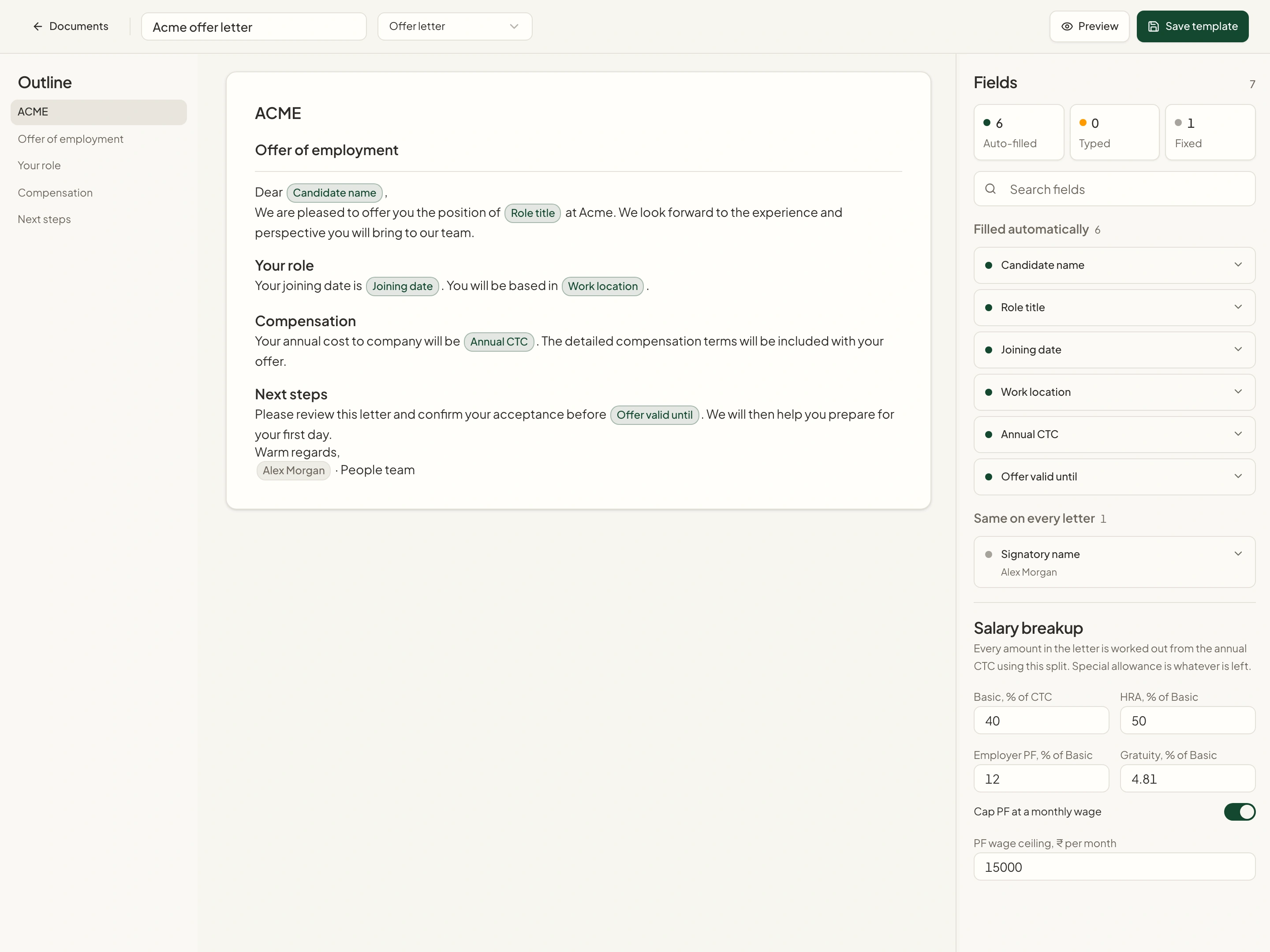
Document templates
Start with the documents your company uses.
Upload a supported Word or PDF document, review its detected fields and edit the template in the document studio before saving.
- Supported Word and PDF uploads
- Candidate-specific and fixed template fields
- Reviewed, reusable document templates
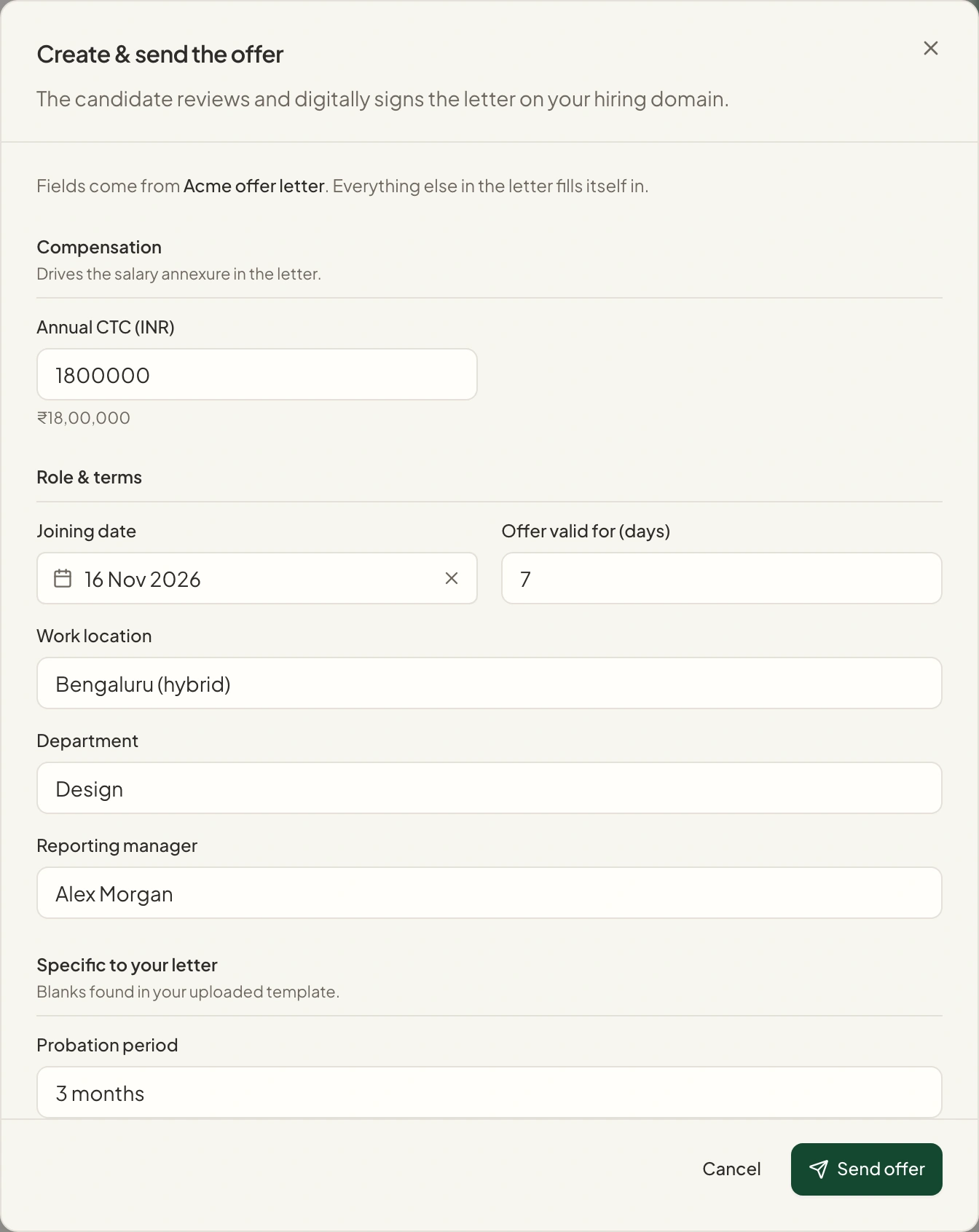
Candidate-specific offers
Fill the gaps without losing the application context.
Prepare an offer using the information the template calls for. Review its candidate details and document content before sending.
- Template-guided offer fields
- Candidate information tied to the application
- Offer preview and preparation in Hire
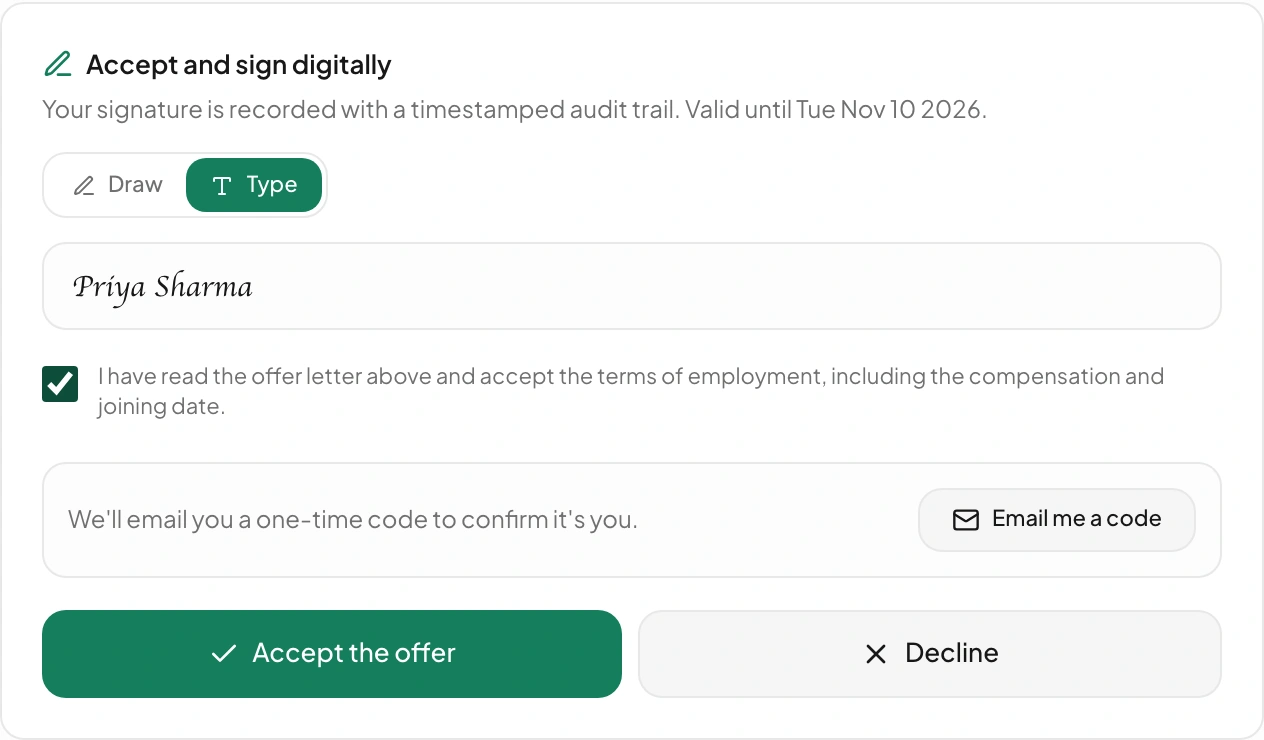
Electronic acceptance
Give the candidate a connected signing step.
Candidates can review the offer and complete the supported acceptance flow, with signature and status information retained in the hiring record.
- Supported typed or drawn signature
- Acceptance and signing progress
- Accepted documents connected to the candidate
From setup to next step
How it fits into your workflow.
Review the template
Upload or select the relevant document and check the fields and content.
Prepare and send the offer
Fill the required candidate-specific information and review the document before sending.
Follow acceptance
Track the candidate’s response and continue to the configured joining process.
Questions about Offers & E-signatures.
Better together
Keep the next step connected.
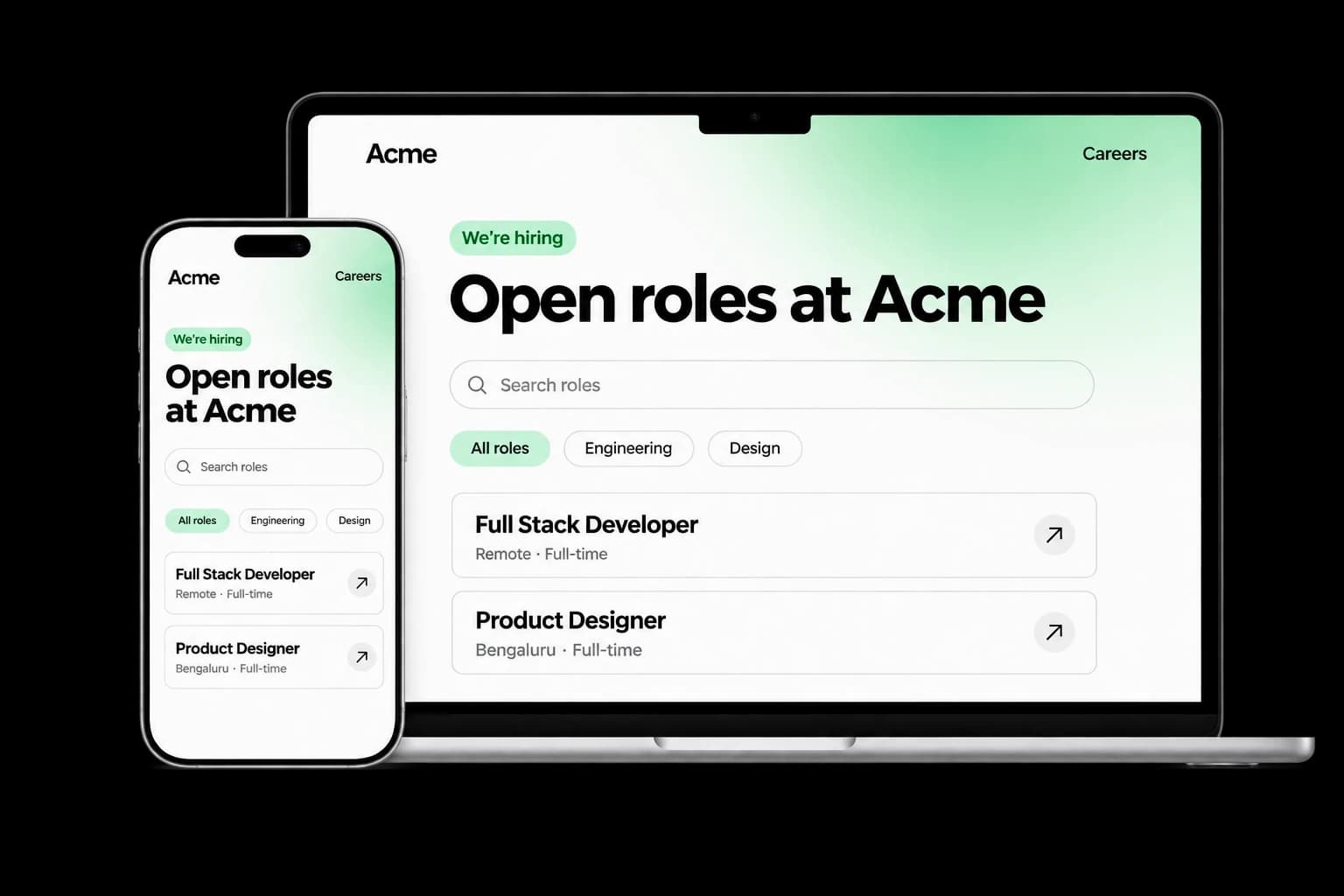
Career Page Builder
Build a branded careers experience with editable content, live job listings and applications connected to your Tarkflo hiring pipeline.
Explore the module FitScore CV Screening
FitScore CV Screening
Screen CVs against role requirements with FitScore: a 0–100 match score, confidence and supporting evidence for recruiter review.
Explore the module Screening Rounds
Screening Rounds
Collect candidate details, multiple-choice answers, written responses and one-way video in structured screening rounds connected to Hire.
Explore the module AI Interviews
AI Interviews
Run role-specific two-way AI voice interviews with follow-up questions, candidate transcripts, recordings and evaluations for human review.
Explore the module AI Proctoring
AI Proctoring
Explore configurable interview proctoring: browser and camera checks, supported audio signals, room scans, side-camera options and timestamped evidence for human review.
Explore the module Candidate Reports & Evidence
Candidate Reports & Evidence
Review interview evaluations, screening responses, transcripts and recordings in connected candidate reports, with sharing and export controls.
Explore the module Lens Conversational ATS
Lens Conversational ATS
Ask hiring questions in natural language with Lens, Tarkflo’s conversational ATS grounded in candidate records and interview evidence.
Explore the module Hiring Workflows
Hiring Workflows
Configure hiring stages, screening rounds, interviews and progression rules in connected candidate workflows, with human review where it matters.
Explore the module Candidate Communication
Candidate Communication
Keep candidate email conversations, invitations and replies connected to the relevant application and hiring history in Tarkflo Hire.
Explore the module Offers & E-signaturesOffers & E-signatures
Prepare reusable offer templates, fill candidate-specific details and track electronic acceptance in the same hiring workflow.
Explore the module Candidate Onboarding
Candidate Onboarding
Connect candidate documents, accepted offers, joining dates and onboarding tasks in Tarkflo Hire’s candidate onboarding module.
Explore the moduleYour workflow. Your next hire.
Make the offer part of the same hiring story.
See the path from a reviewed template to candidate acceptance and joining preparation.
A practical walkthrough, built around your hiring process.