

Hiring Workflows
Hiring workflows. Built around your process.
Connect the stages, evaluation criteria and progression rules your team needs—from the first screening through review, offers and candidate onboarding.
For teams hiring across different roles, clients or recurring campaigns.
Part of Tarkflo Hire
One pipeline does not mean one process for every job.
Build workflows from the rounds and operational stages your hiring process needs. Keep the candidate journey visible while removing repetitive handoffs.
See the connected hiring platformA process your team can follow
Make the next step visible rather than leaving it in someone’s inbox.
Rules with a reason
Use your configured scores or outcomes to guide progression without removing human review.
Reusable hiring structure
Adapt templates and workflows for the role or client instead of rebuilding the process from scratch.
Design the stages
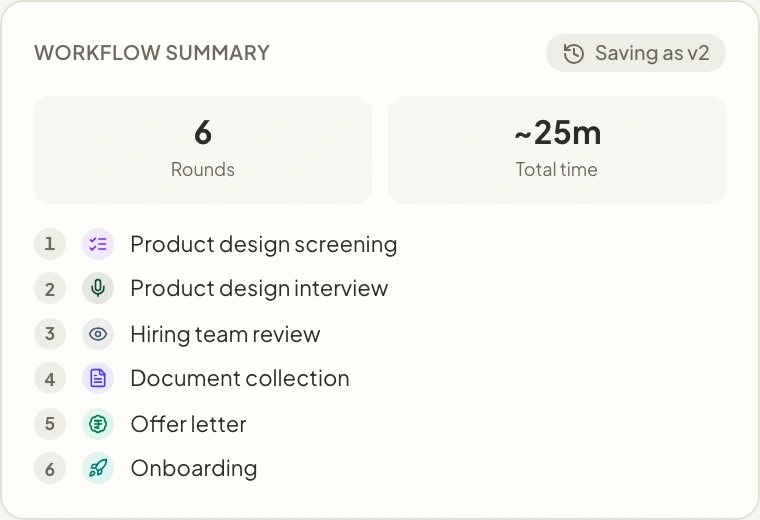
Connect assessment and operational work.
Combine screening and interview rounds with supported review, document, offer and onboarding stages in the order your process requires.
- Role-specific workflows and reusable templates
- Screening and two-way interview stages
- Review and post-decision stages in the same journey
Configure progression
Automate the repeatable parts, keep review intentional.
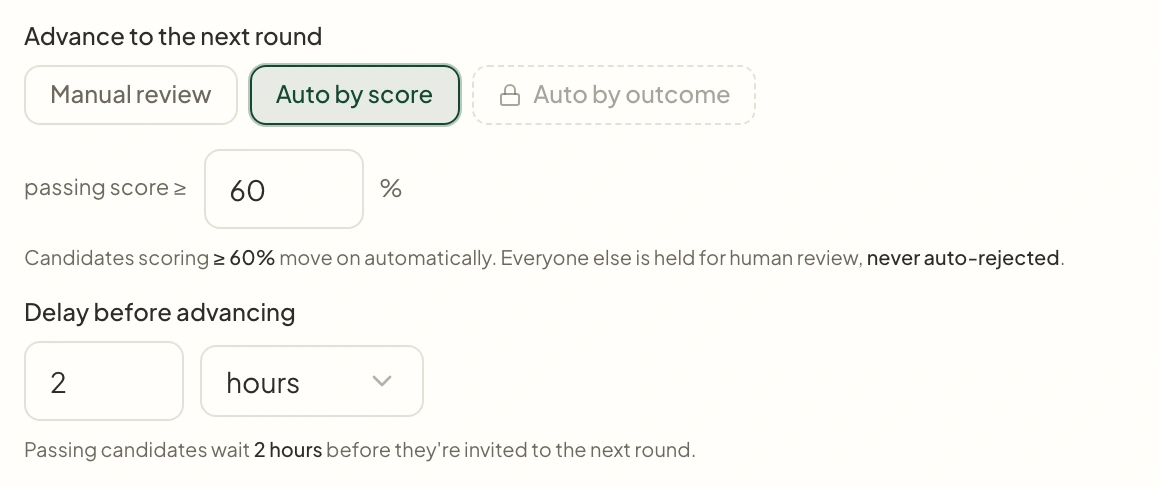
Choose manual progression or supported score- and outcome-based rules. Use the thresholds and delays that suit the round.
- Progression criteria defined by your team
- Manual review for cases that need judgement
- Configured move-forward communication delays
Follow the candidate journey
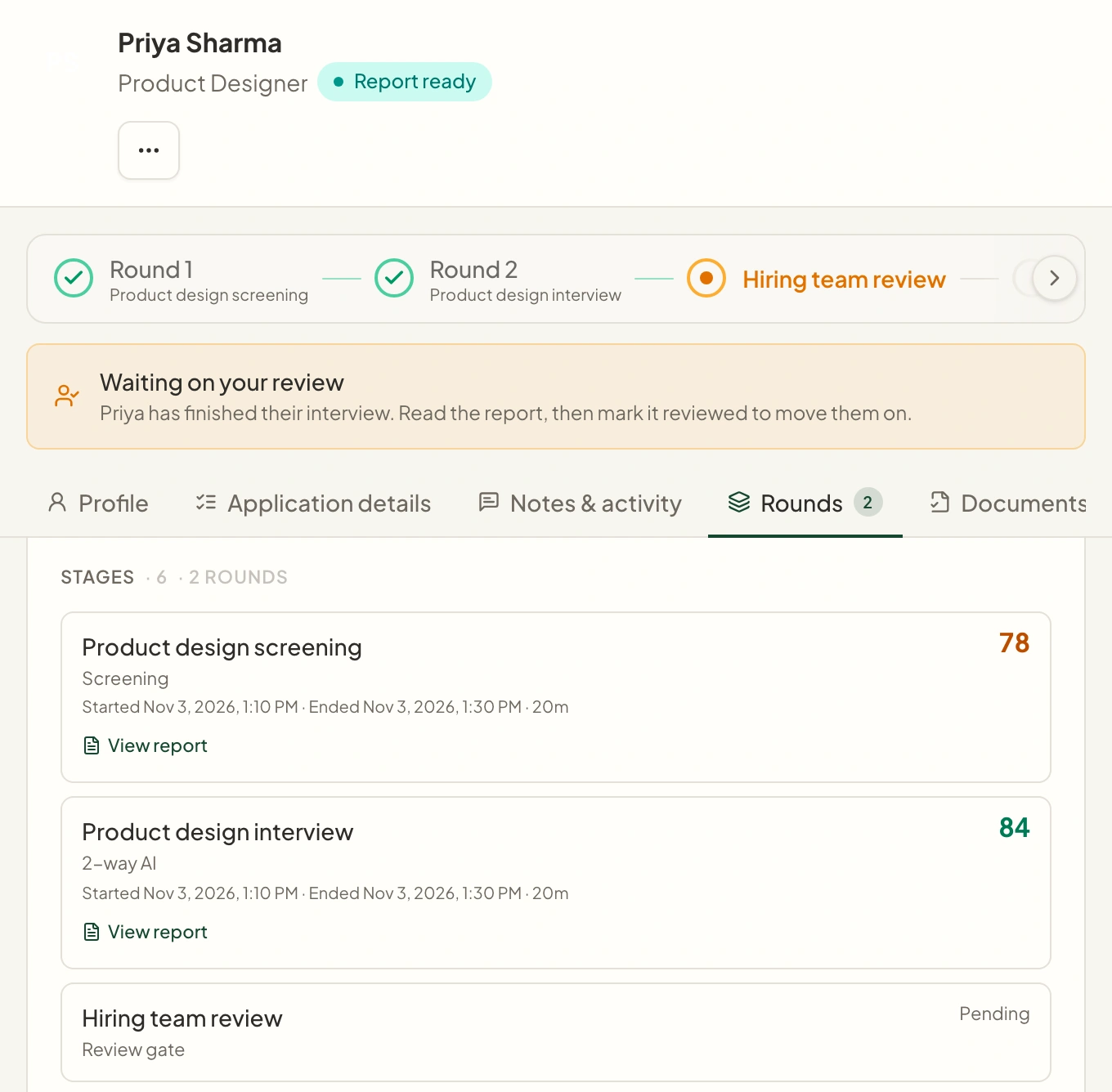
Keep stage and evidence together.
See where candidates are in the process and return to the relevant round or task without reconstructing the journey from disconnected tools.
- A shared candidate pipeline
- Round results attached to the application
- Clear handoffs into documents, offers and onboarding
From setup to next step
How it fits into your workflow.
Choose the hiring stages
Build a workflow using the templates and supported stages relevant to the role.
Set the progression rules
Configure evaluation criteria, review points and supported automation behavior.
Run and review the pipeline
Track candidates through the workflow and intervene when a case needs attention.
Questions about Hiring Workflows.
Better together
Keep the next step connected.
Career Page Builder
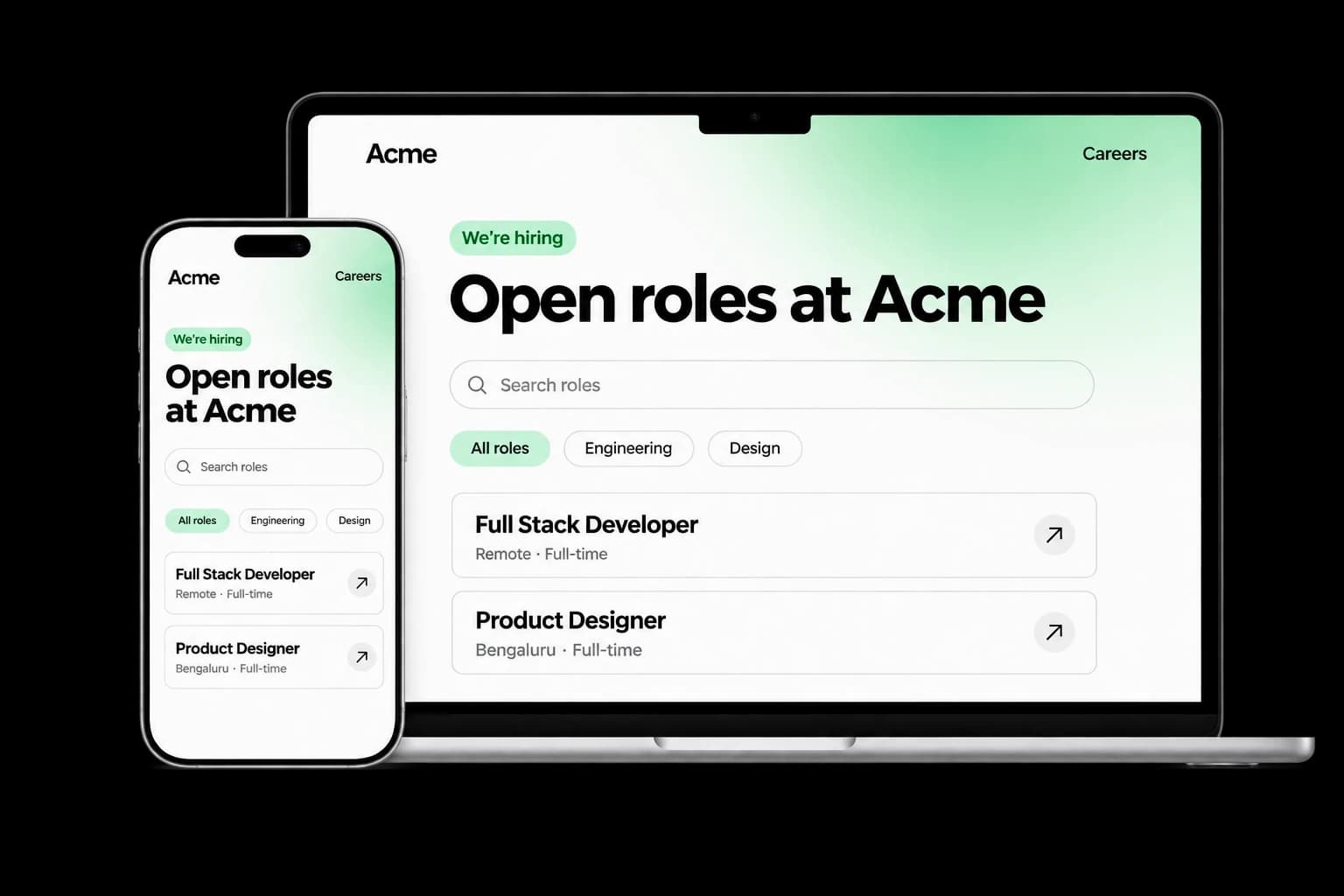
Build a branded careers experience with editable content, live job listings and applications connected to your Tarkflo hiring pipeline.
Explore the module FitScore CV Screening
FitScore CV Screening
Screen CVs against role requirements with FitScore: a 0–100 match score, confidence and supporting evidence for recruiter review.
Explore the module Screening Rounds
Screening Rounds
Collect candidate details, multiple-choice answers, written responses and one-way video in structured screening rounds connected to Hire.
Explore the module AI Interviews
AI Interviews
Run role-specific two-way AI voice interviews with follow-up questions, candidate transcripts, recordings and evaluations for human review.
Explore the module AI Proctoring
AI Proctoring
Explore configurable interview proctoring: browser and camera checks, supported audio signals, room scans, side-camera options and timestamped evidence for human review.
Explore the module Candidate Reports & Evidence
Candidate Reports & Evidence
Review interview evaluations, screening responses, transcripts and recordings in connected candidate reports, with sharing and export controls.
Explore the module Lens Conversational ATS
Lens Conversational ATS
Ask hiring questions in natural language with Lens, Tarkflo’s conversational ATS grounded in candidate records and interview evidence.
Explore the module Hiring WorkflowsHiring Workflows
Configure hiring stages, screening rounds, interviews and progression rules in connected candidate workflows, with human review where it matters.
Explore the module Candidate Communication
Candidate Communication
Keep candidate email conversations, invitations and replies connected to the relevant application and hiring history in Tarkflo Hire.
Explore the module Offers & E-signatures
Offers & E-signatures
Prepare reusable offer templates, fill candidate-specific details and track electronic acceptance in the same hiring workflow.
Explore the module Candidate Onboarding
Candidate Onboarding
Connect candidate documents, accepted offers, joining dates and onboarding tasks in Tarkflo Hire’s candidate onboarding module.
Explore the moduleYour workflow. Your next hire.
Map the hiring process you actually need.
Bring one role or campaign and see how its stages connect in Hire.
A practical walkthrough, built around your hiring process.