

Lens Conversational ATS
Conversational ATS. Ask your hiring pipeline.
Use natural language to investigate candidates, compare evidence and understand your hiring pipeline without treating an unsupported answer as a fact.
For recruiters and hiring managers working across candidate records, rounds and decisions.

Part of Tarkflo Hire
The next question should not require another spreadsheet.
Lens connects the hiring question to the information already in your workspace. Start broadly, follow up for detail and return to the candidate evidence behind an answer.
See the connected hiring platformStart with the question
Ask about a candidate, shortlist or hiring concern in the words your team uses.
Investigate across evidence
Explore relevant candidate information without manually assembling every piece first.
Follow the answer back
Open the underlying candidate context to verify and continue the review.
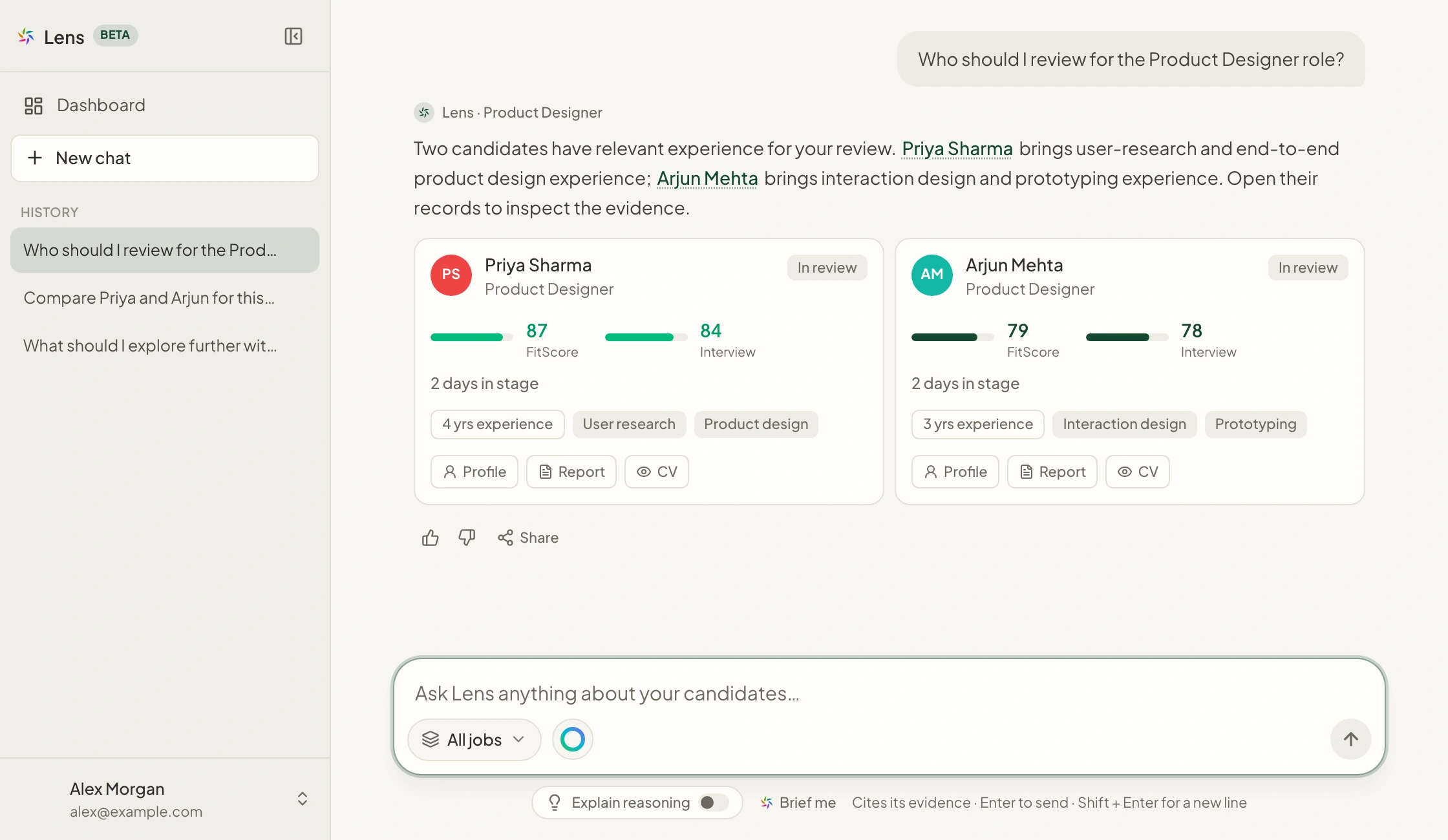
Natural-language review
Turn a hiring question into a focused investigation.
Ask about candidate experience, an interview concern or the people in a pipeline. Follow up to narrow the question when more context is needed.
- Conversational questions and follow-ups
- Candidate and pipeline context
- A starting point for deeper human review
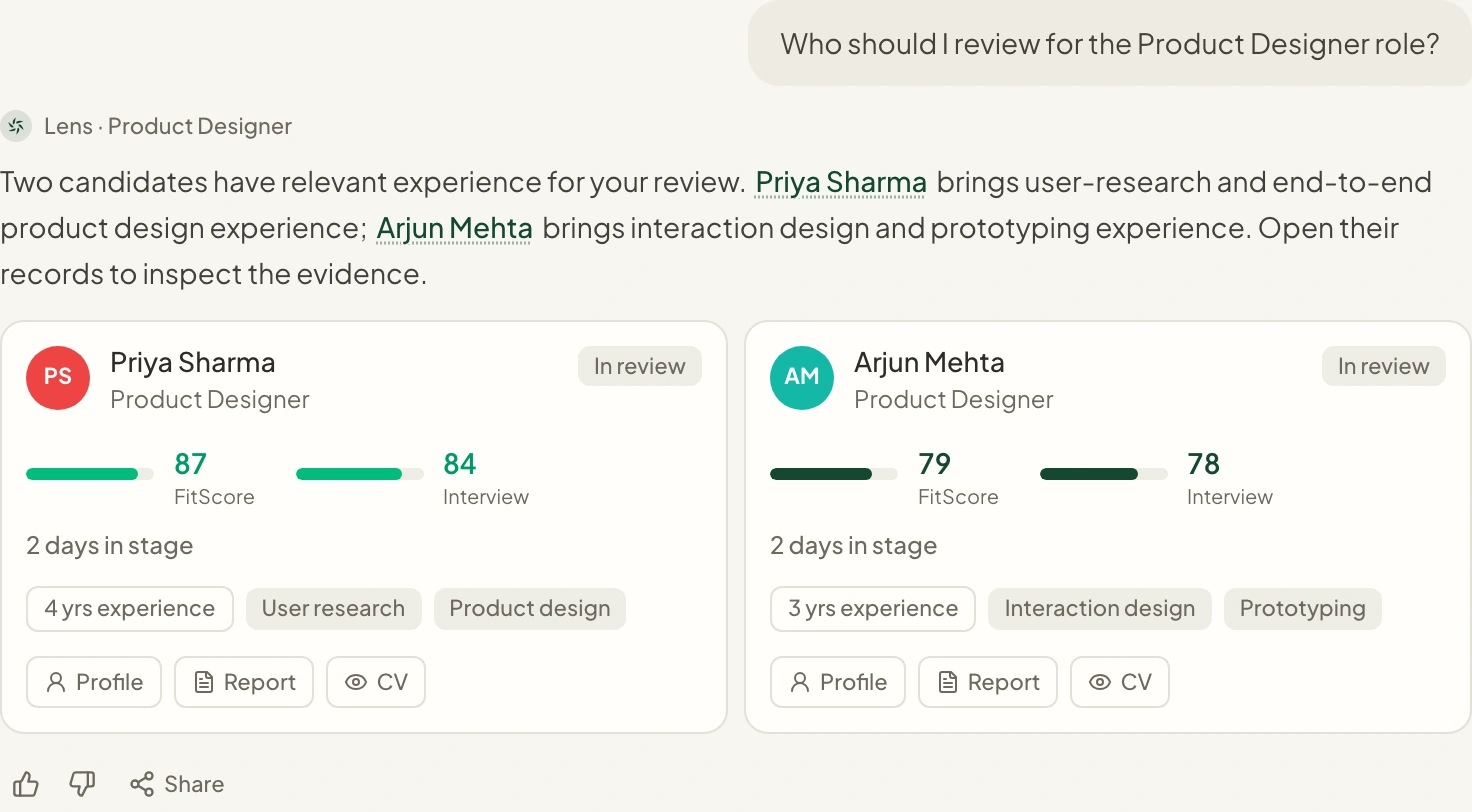
Evidence-grounded comparison
Compare what the records actually support.
Use candidate comparisons and shortlist views to inspect relevant evidence, rather than relying on memory or an isolated summary.
- Candidate comparisons and ranked shortlist views
- Supporting candidate-record links
- Questions grounded in accessible workspace information
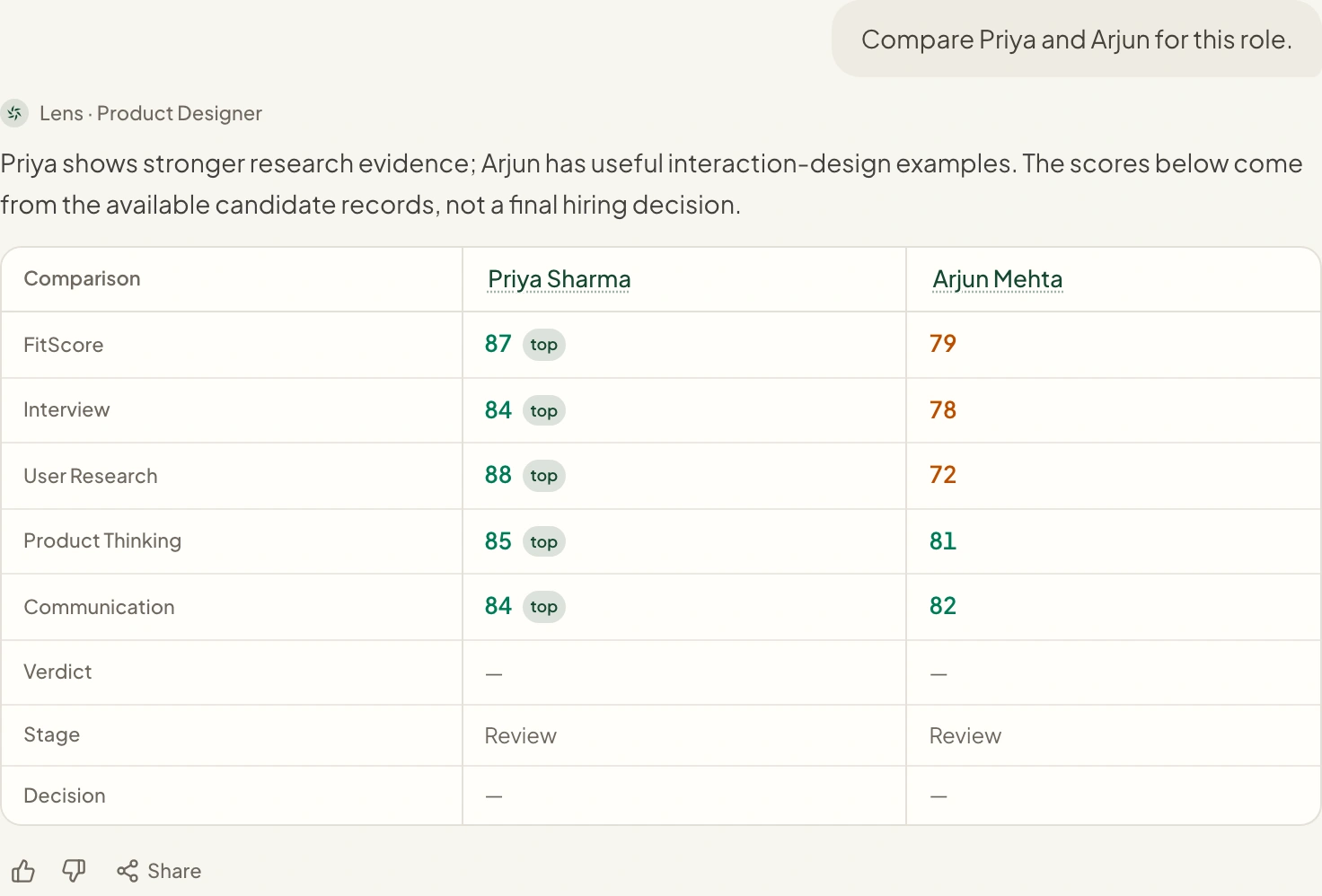
Connected to the workspace
Move from the answer to the record.
Open candidate information and supported hiring actions from the review context, with the same access boundaries as the rest of Hire.
- Candidate context alongside the conversation
- Relevant links back into the hiring workspace
- Actions governed by existing permissions
From setup to next step
How it fits into your workflow.
Ask about the hiring work
Start with a candidate, job or pipeline question.
Explore the evidence
Review the answer and follow up when a comparison or concern needs more detail.
Verify in the candidate record
Open the supporting context before taking the next hiring action.
Questions about Lens Conversational ATS.
Better together
Keep the next step connected.
Career Page Builder
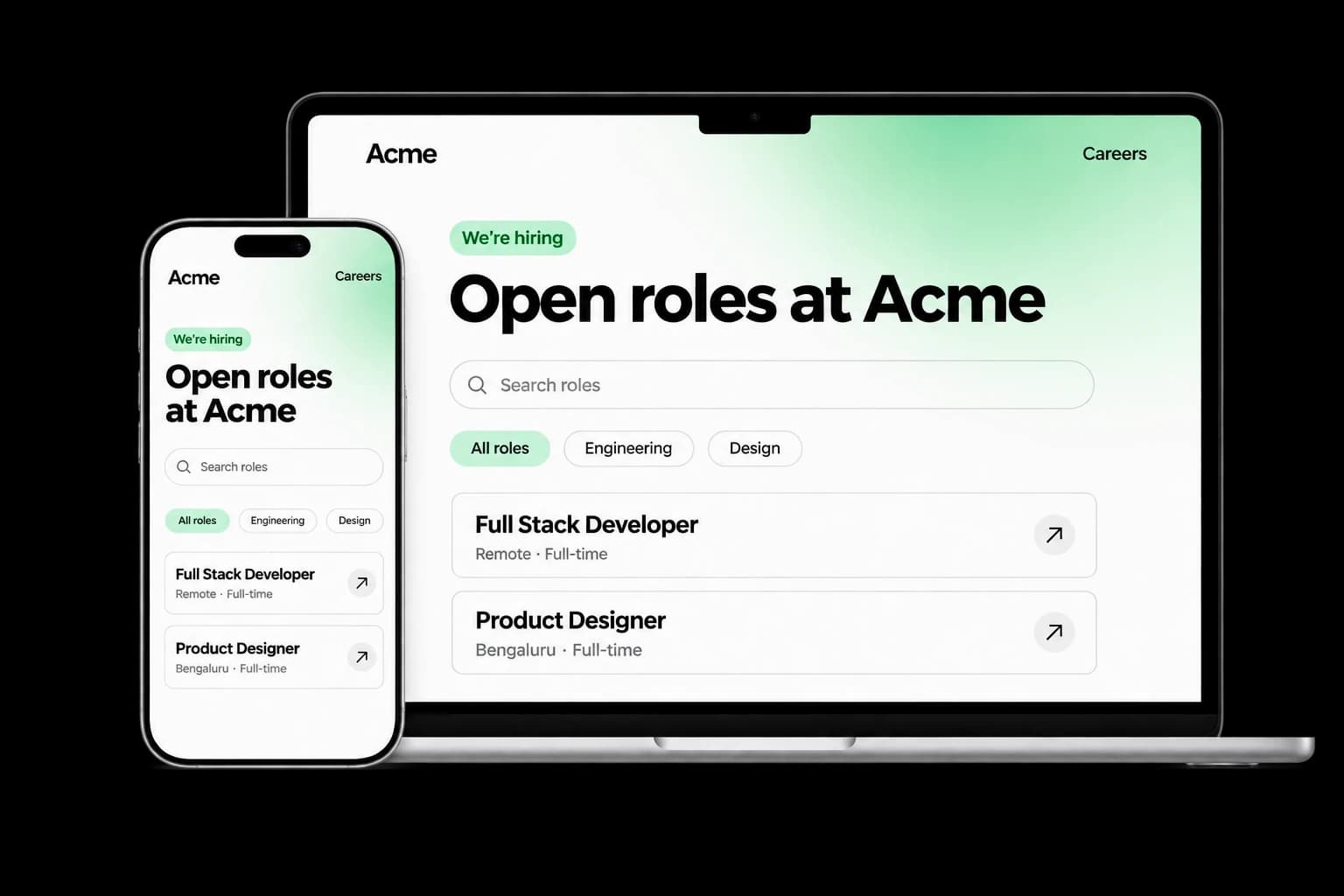
Build a branded careers experience with editable content, live job listings and applications connected to your Tarkflo hiring pipeline.
Explore the module FitScore CV Screening
FitScore CV Screening
Screen CVs against role requirements with FitScore: a 0–100 match score, confidence and supporting evidence for recruiter review.
Explore the module Screening Rounds
Screening Rounds
Collect candidate details, multiple-choice answers, written responses and one-way video in structured screening rounds connected to Hire.
Explore the module AI Interviews
AI Interviews
Run role-specific two-way AI voice interviews with follow-up questions, candidate transcripts, recordings and evaluations for human review.
Explore the module AI Proctoring
AI Proctoring
Explore configurable interview proctoring: browser and camera checks, supported audio signals, room scans, side-camera options and timestamped evidence for human review.
Explore the module Candidate Reports & Evidence
Candidate Reports & Evidence
Review interview evaluations, screening responses, transcripts and recordings in connected candidate reports, with sharing and export controls.
Explore the module Lens Conversational ATSLens Conversational ATS
Ask hiring questions in natural language with Lens, Tarkflo’s conversational ATS grounded in candidate records and interview evidence.
Explore the module Hiring Workflows
Hiring Workflows
Configure hiring stages, screening rounds, interviews and progression rules in connected candidate workflows, with human review where it matters.
Explore the module Candidate Communication
Candidate Communication
Keep candidate email conversations, invitations and replies connected to the relevant application and hiring history in Tarkflo Hire.
Explore the module Offers & E-signatures
Offers & E-signatures
Prepare reusable offer templates, fill candidate-specific details and track electronic acceptance in the same hiring workflow.
Explore the module Candidate Onboarding
Candidate Onboarding
Connect candidate documents, accepted offers, joining dates and onboarding tasks in Tarkflo Hire’s candidate onboarding module.
Explore the moduleYour workflow. Your next hire.
Bring a real hiring question.
See how Lens helps your team move from a question to the candidate evidence behind the answer.
A practical walkthrough, built around your hiring process.