Browser activity
Context about how the interview tab is used, where supported and configured.
- Tab focus and time away from the interview
- Fullscreen exits and returns
- Clipboard activity and developer-tools shortcuts

AI Proctoring
Connect configurable interview checks to the moments your team needs to review. Choose how a round responds, inspect the evidence and keep the final hiring decision human.
For hiring teams that need interview-integrity context without treating every flag as a verdict.
Part of Tarkflo Hire
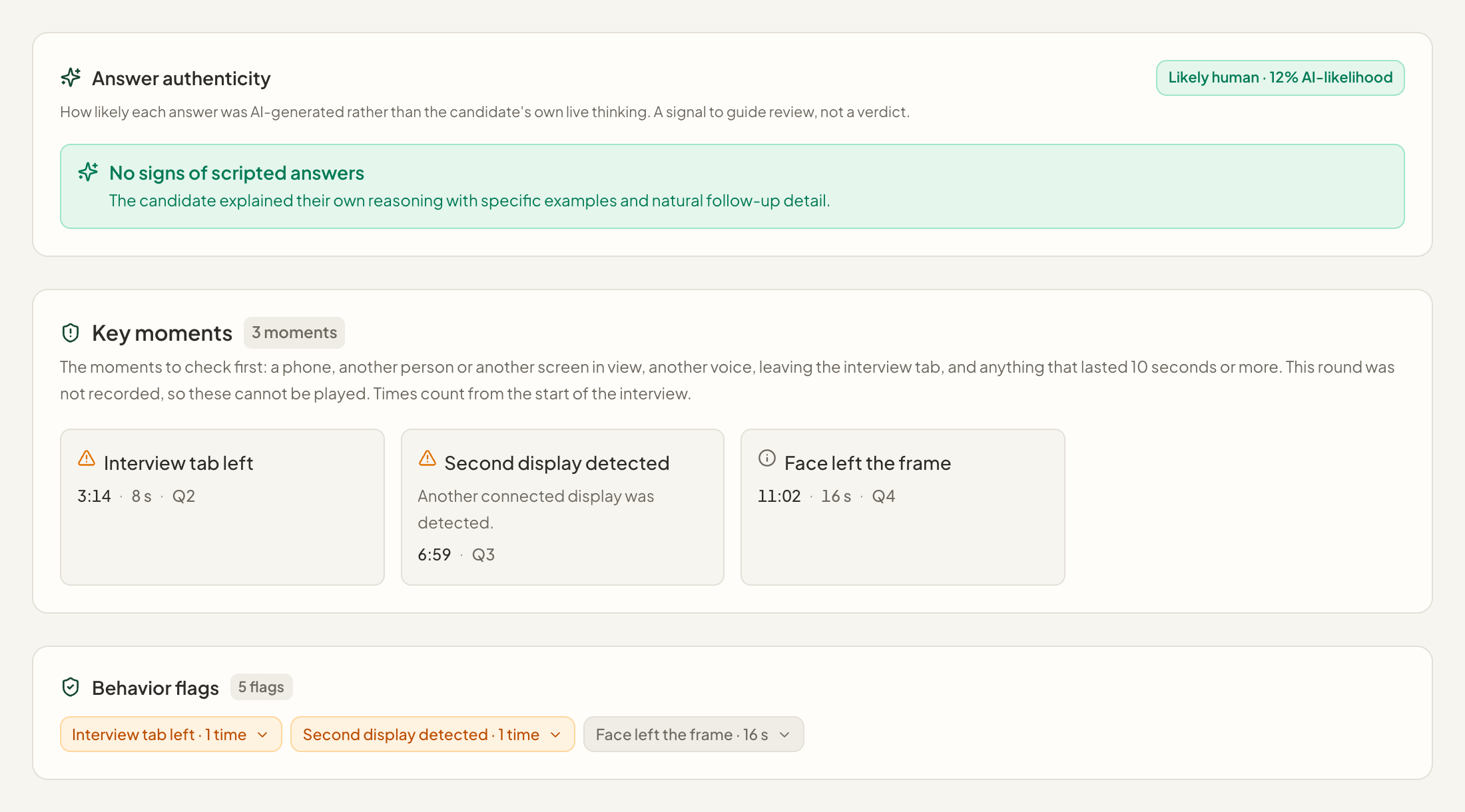
A tab switch, another voice or a camera interruption can have more than one explanation. Tarkflo connects available integrity signals to the interview timeline, so reviewers can investigate what happened rather than rely on a single warning or an unexplained score.
See the connected hiring platformConfigure monitoring and response behavior around your interview policy, enabled modules and the candidate experience.
Return to timestamped events, available recordings and supporting evidence instead of interpreting an isolated alert.
Integrity flags and authenticity estimates support review. They do not establish misconduct or make the final hiring decision.
What is included
Coverage depends on the round, policy, browser, permissions and enabled workspace capabilities. Live two-way interviews support a broader set of checks than asynchronous video screening.
Context about how the interview tab is used, where supported and configured.
Camera-based geometry signals help reviewers understand visibility and interruptions.
Sustained or repeated movement patterns can be recorded as context, not proof of intent.
Supported live checks combine browser display information with camera-visible objects.
Audio signals can highlight moments that need a closer listen in a two-way interview.
Optional two-way interview checks add context about the candidate’s surroundings.
Where enabled and start photos are available, compare the person appearing in different rounds.
Available analysis can surface response patterns for the team to investigate.
Separate collecting a signal from interrupting or ending a round.
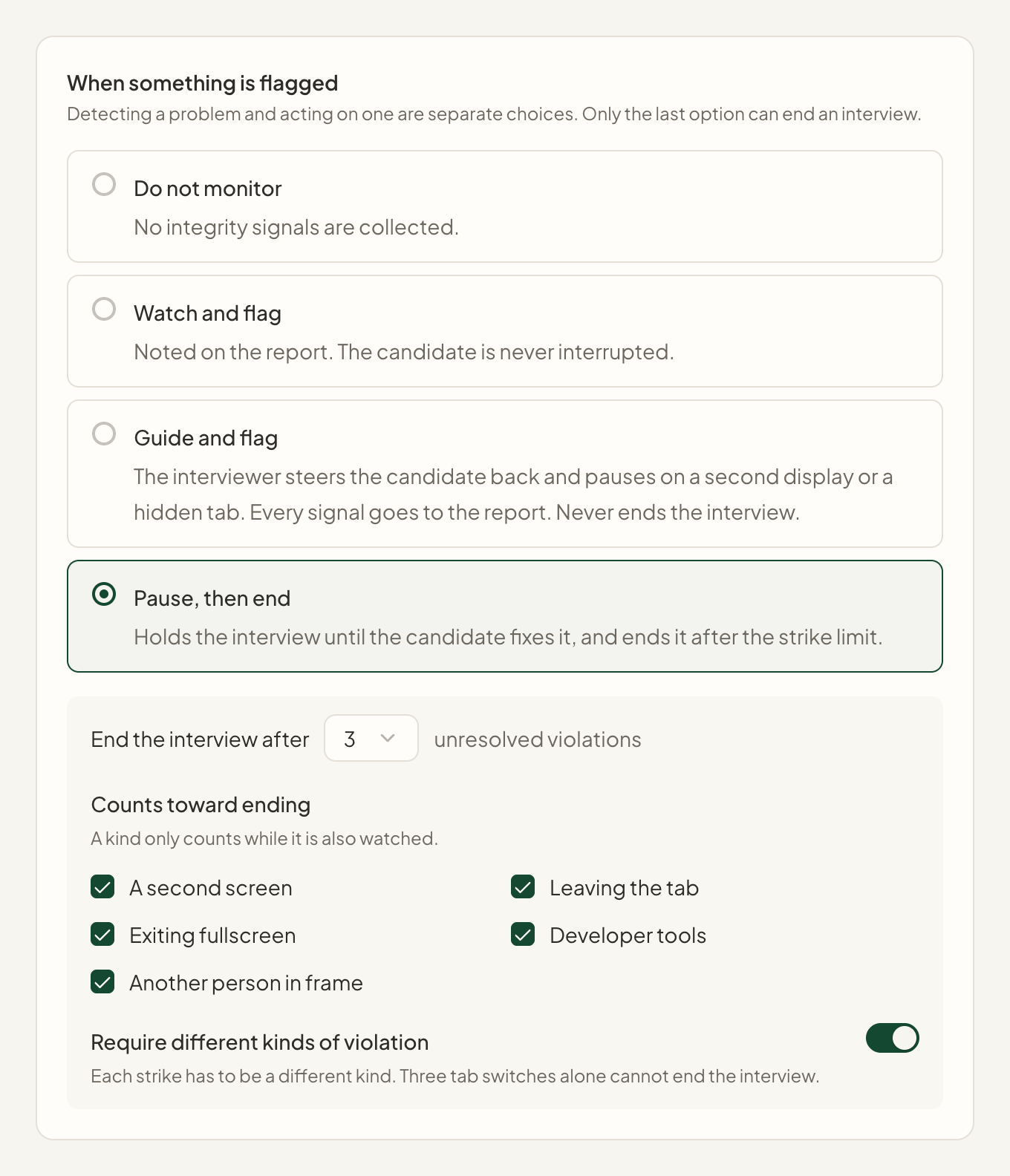
01 / Set the interview policy
Use workspace defaults and supported round settings to configure monitoring. Watch and flag without interruption, guide a candidate back when a supported issue occurs, or use an explicit strict policy with a configured ending rule.
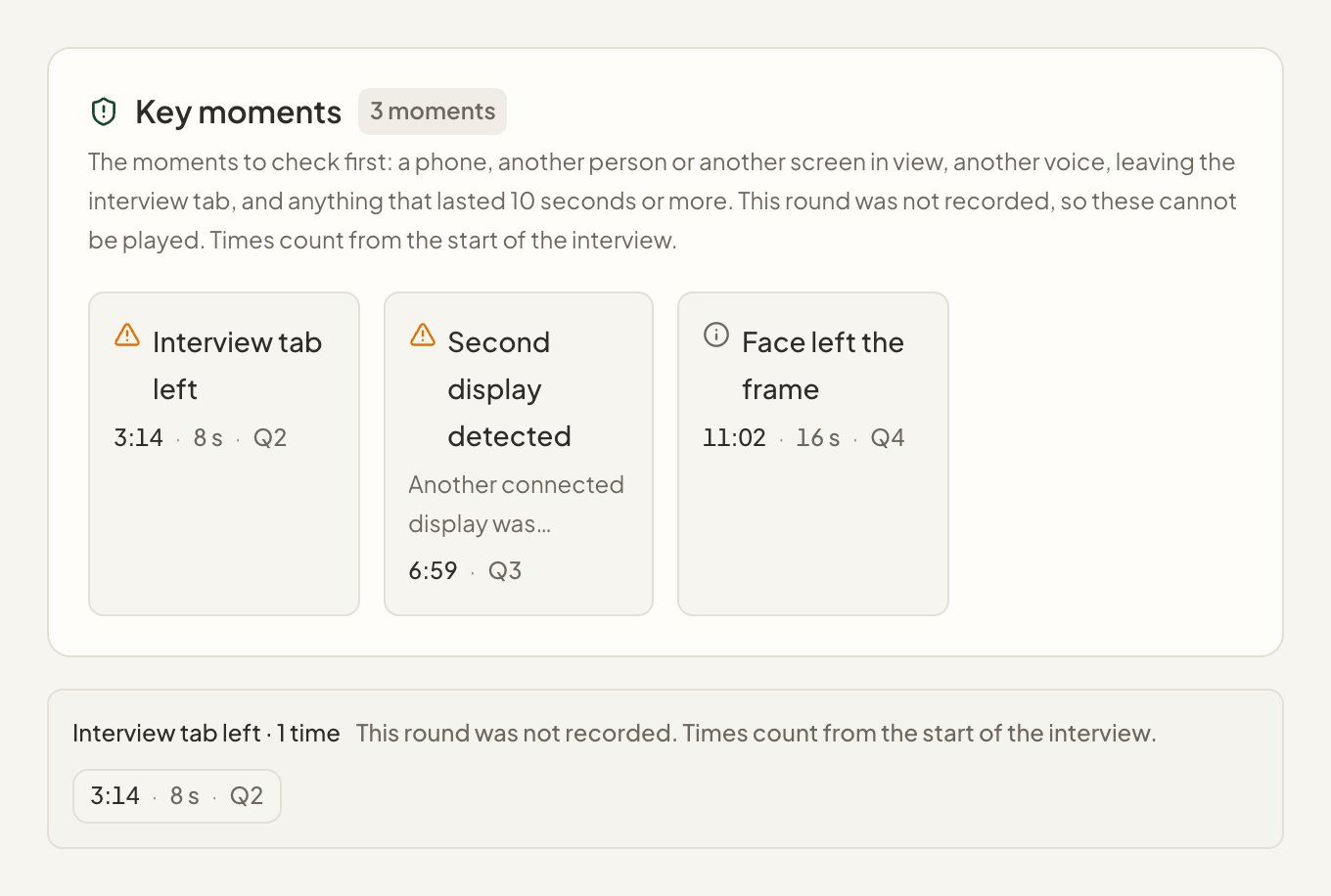
02 / See the moments that matter
Inspect timestamped browser, camera and available audio signals. Where the round was recorded, key moments can take a reviewer back to the relevant part of the recording. Missing or unavailable evidence stays visible as a limitation.
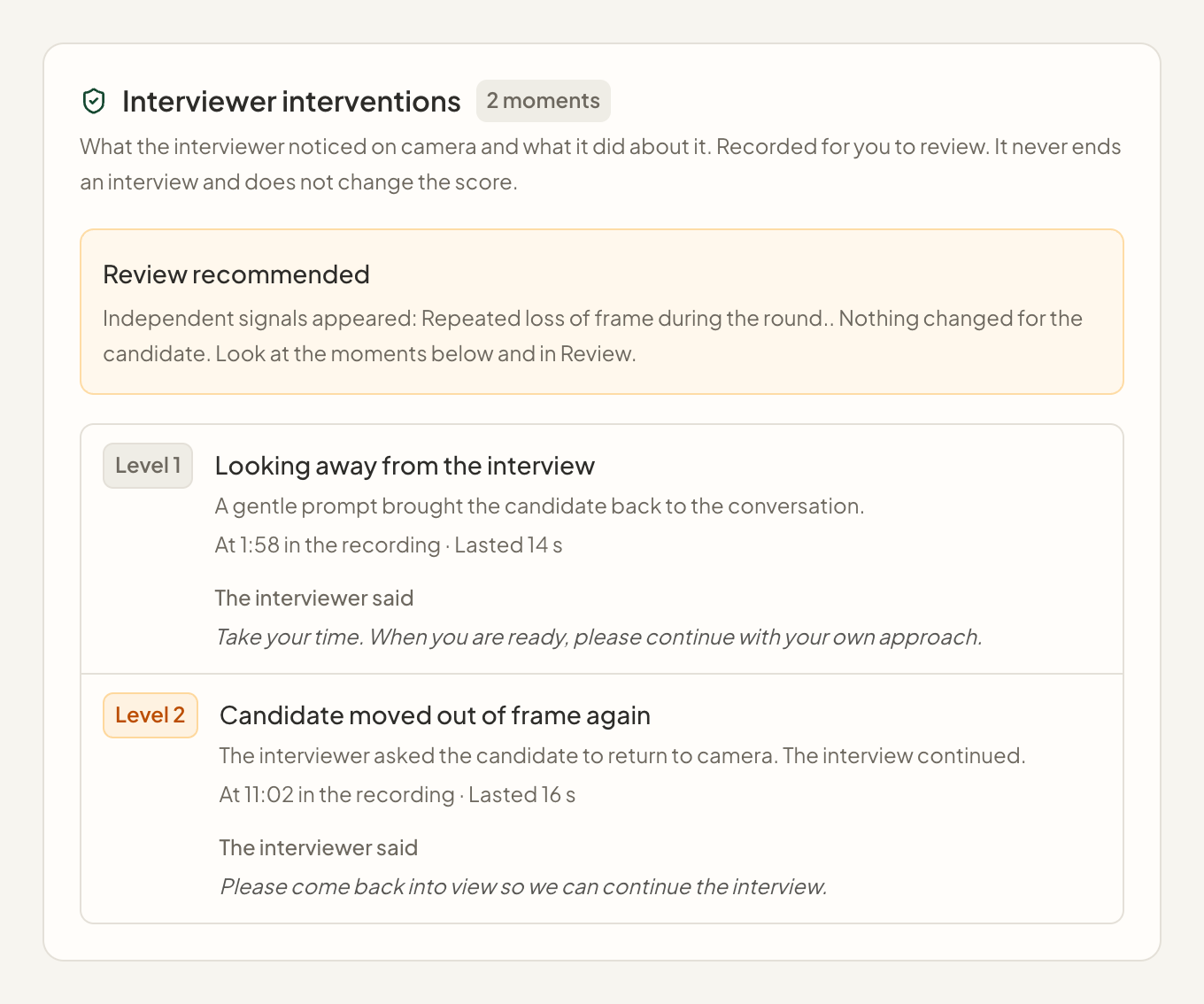
03 / Keep review grounded
Review policy interventions and available identity or answer-authenticity context alongside the interview. Look for an explanation, check what the evidence actually supports and record the human decision in the connected hiring workflow.
From setup to next step
Choose the monitoring policy and supported checks, and confirm which optional modules and advanced features are enabled.
Present the relevant monitoring information and required preparation, permissions and any configured room or side-camera steps.
Open the timestamped evidence, consider technical or environmental explanations and decide the appropriate follow-up.
Better together
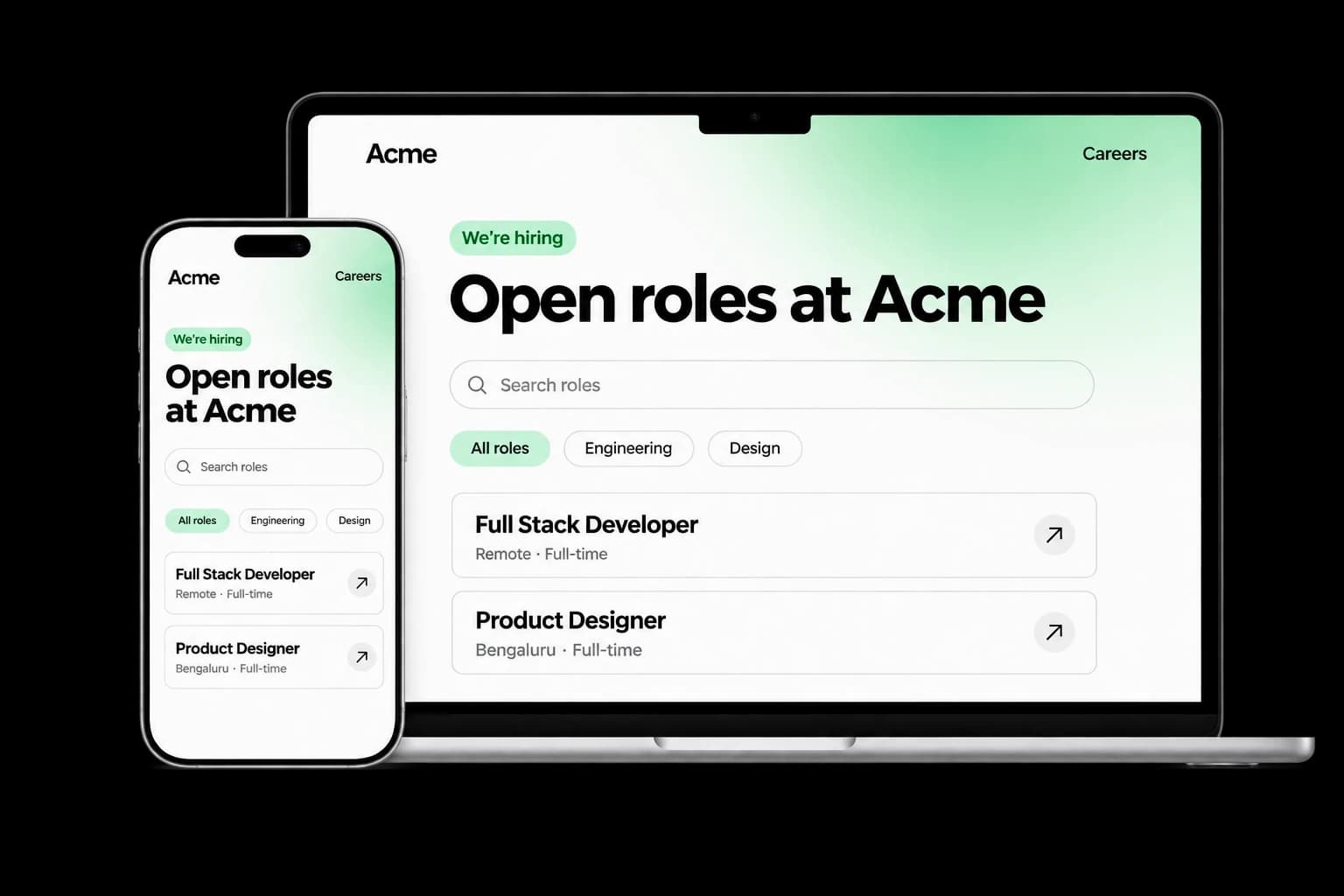
Build a branded careers experience with editable content, live job listings and applications connected to your Tarkflo hiring pipeline.
Explore the module FitScore CV ScreeningScreen CVs against role requirements with FitScore: a 0–100 match score, confidence and supporting evidence for recruiter review.
Explore the module Screening RoundsCollect candidate details, multiple-choice answers, written responses and one-way video in structured screening rounds connected to Hire.
Explore the module AI InterviewsRun role-specific two-way AI voice interviews with follow-up questions, candidate transcripts, recordings and evaluations for human review.
Explore the module AI ProctoringExplore configurable interview proctoring: browser and camera checks, supported audio signals, room scans, side-camera options and timestamped evidence for human review.
Explore the module Candidate Reports & EvidenceReview interview evaluations, screening responses, transcripts and recordings in connected candidate reports, with sharing and export controls.
Explore the module Lens Conversational ATSAsk hiring questions in natural language with Lens, Tarkflo’s conversational ATS grounded in candidate records and interview evidence.
Explore the module Hiring WorkflowsConfigure hiring stages, screening rounds, interviews and progression rules in connected candidate workflows, with human review where it matters.
Explore the module Candidate CommunicationKeep candidate email conversations, invitations and replies connected to the relevant application and hiring history in Tarkflo Hire.
Explore the module Offers & E-signaturesPrepare reusable offer templates, fill candidate-specific details and track electronic acceptance in the same hiring workflow.
Explore the module Candidate OnboardingConnect candidate documents, accepted offers, joining dates and onboarding tasks in Tarkflo Hire’s candidate onboarding module.
Explore the moduleYour workflow. Your next hire.
Walk through the checks, candidate experience and evidence your team can actually use.
A practical walkthrough, built around your hiring process.