

Career Page Builder
Career page builder. Your story, your open roles.
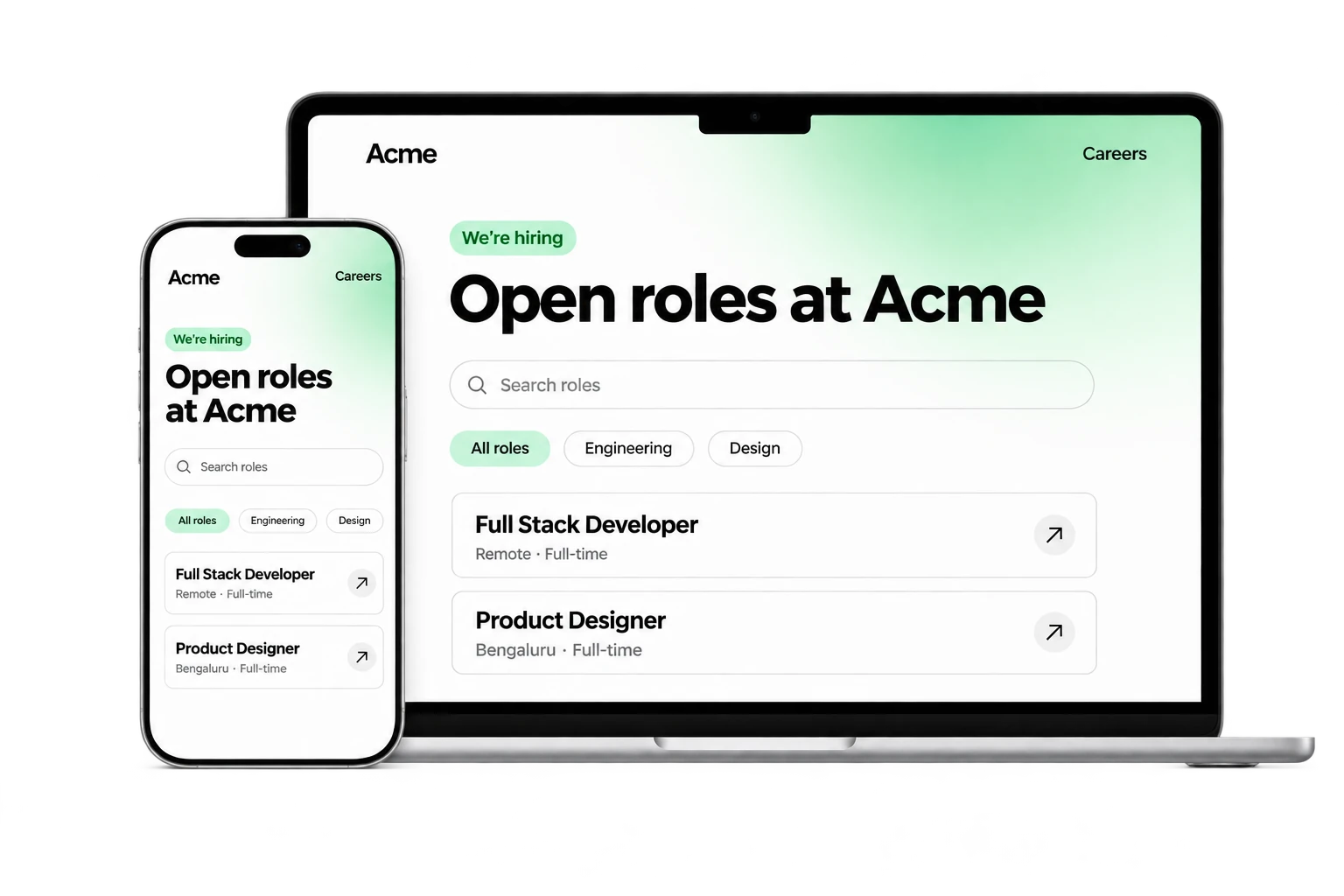
Give candidates a careers experience that feels like your company, with live opportunities and an application journey connected to Hire.
- Ready in secondsStart with an editable template
- Hosting that scalesManaged hosting scales with traffic
For teams turning interest in their company into relevant applications.
Part of Tarkflo Hire
A careers page should do more than list vacancies.
Introduce the company behind the role, help candidates find the right opening and bring their application into the same workflow your recruiters use.
See the connected hiring platformA recognizable first impression
Shape the company story, page sections and visual details candidates see before they apply.
Roles that stay connected
Show the open roles you publish from Hire, with search and filters instead of a second vacancy list to maintain.
Applications with somewhere to go
Keep the candidate’s CV, confirmed details and application connected to the relevant job and its hiring pipeline.
Make it yours
Build around the company candidates are joining.
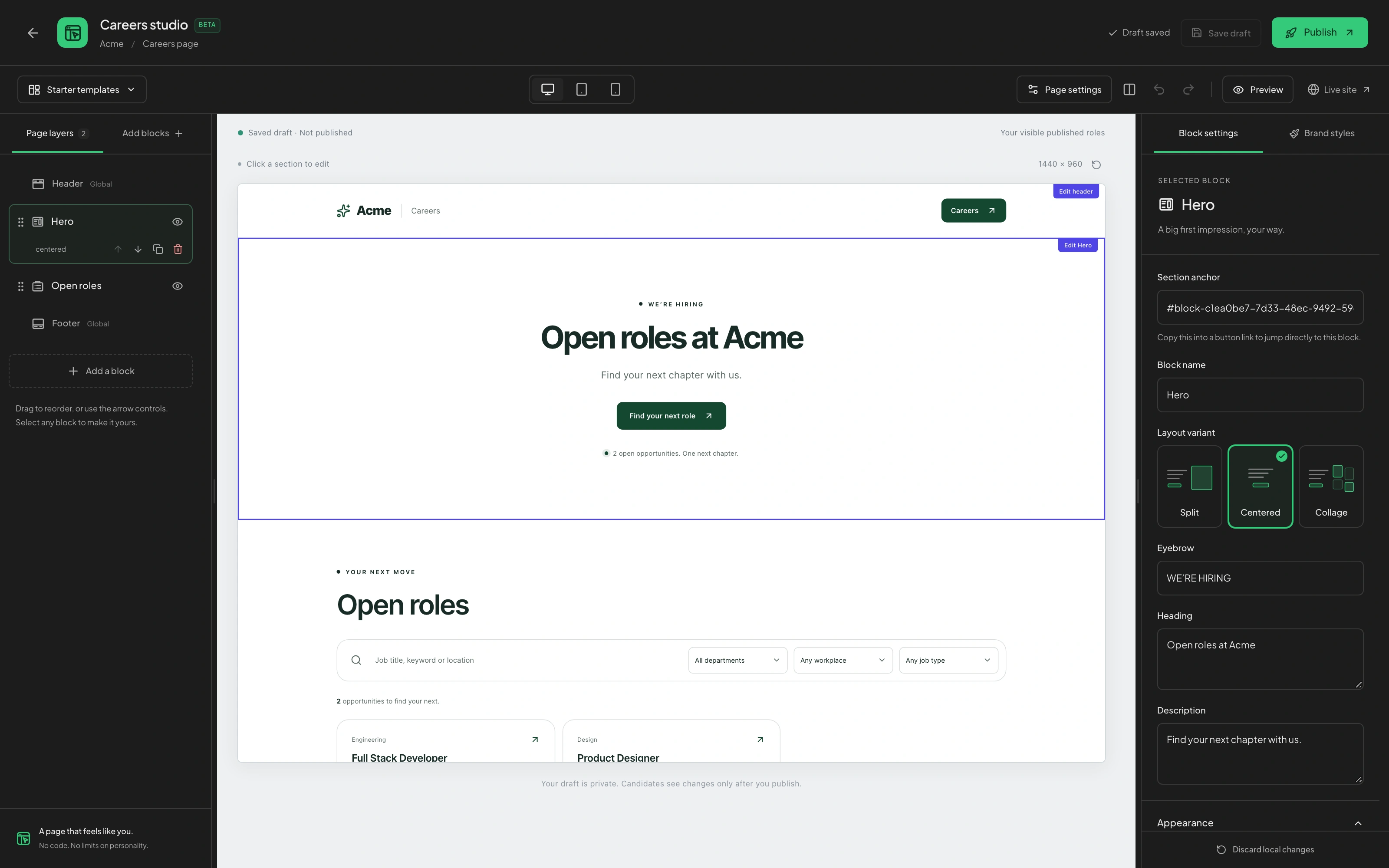
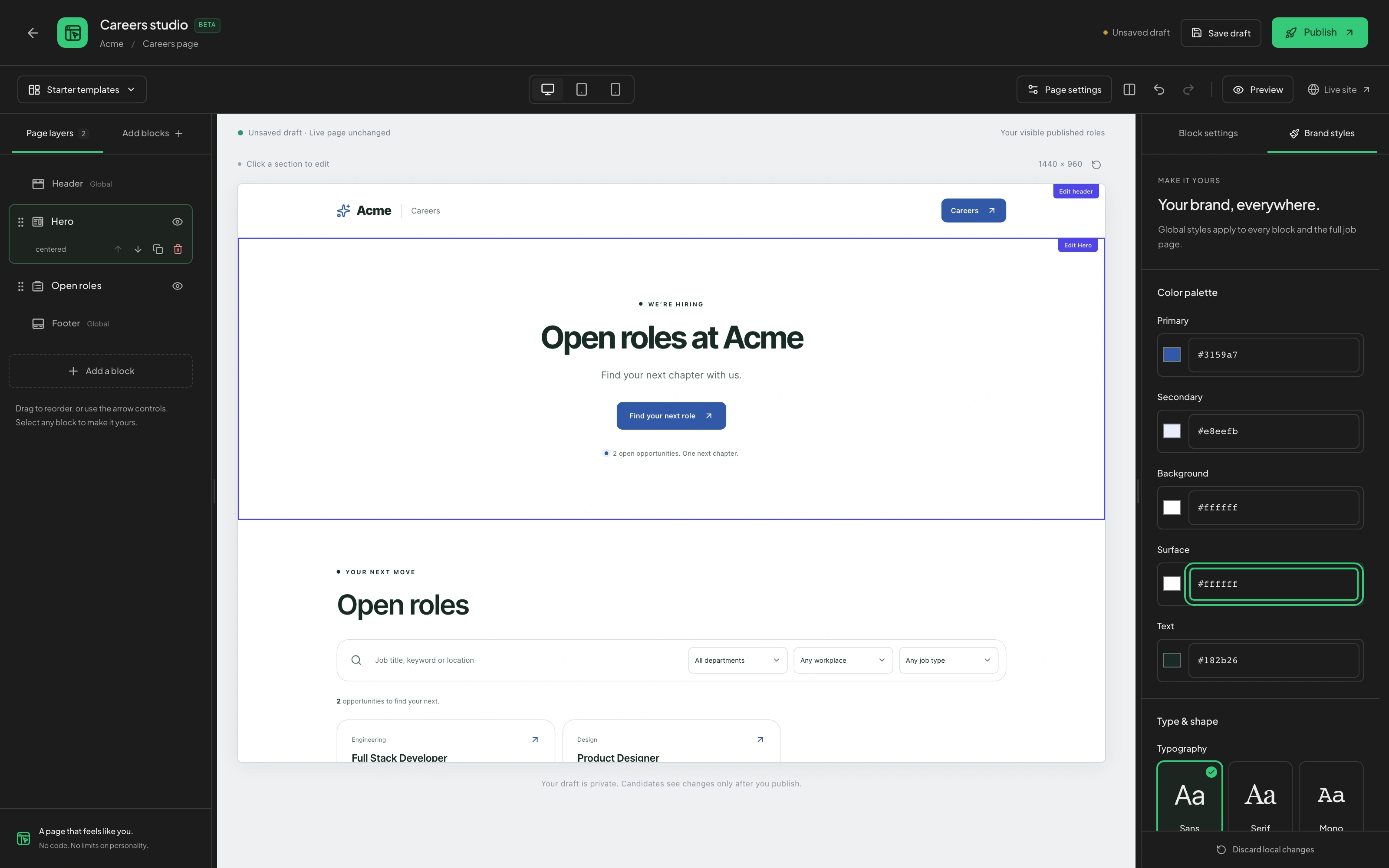
Add the sections that tell your story, move them into the right order and adjust their content and appearance. Bring your colors, typography and page layout together without starting from a blank website.
- Add, reorder, duplicate or hide page blocks
- Story, benefits, gallery and FAQ sections
- Colors, typography, buttons and layout controls
Help people find a role
Keep open opportunities part of the story.
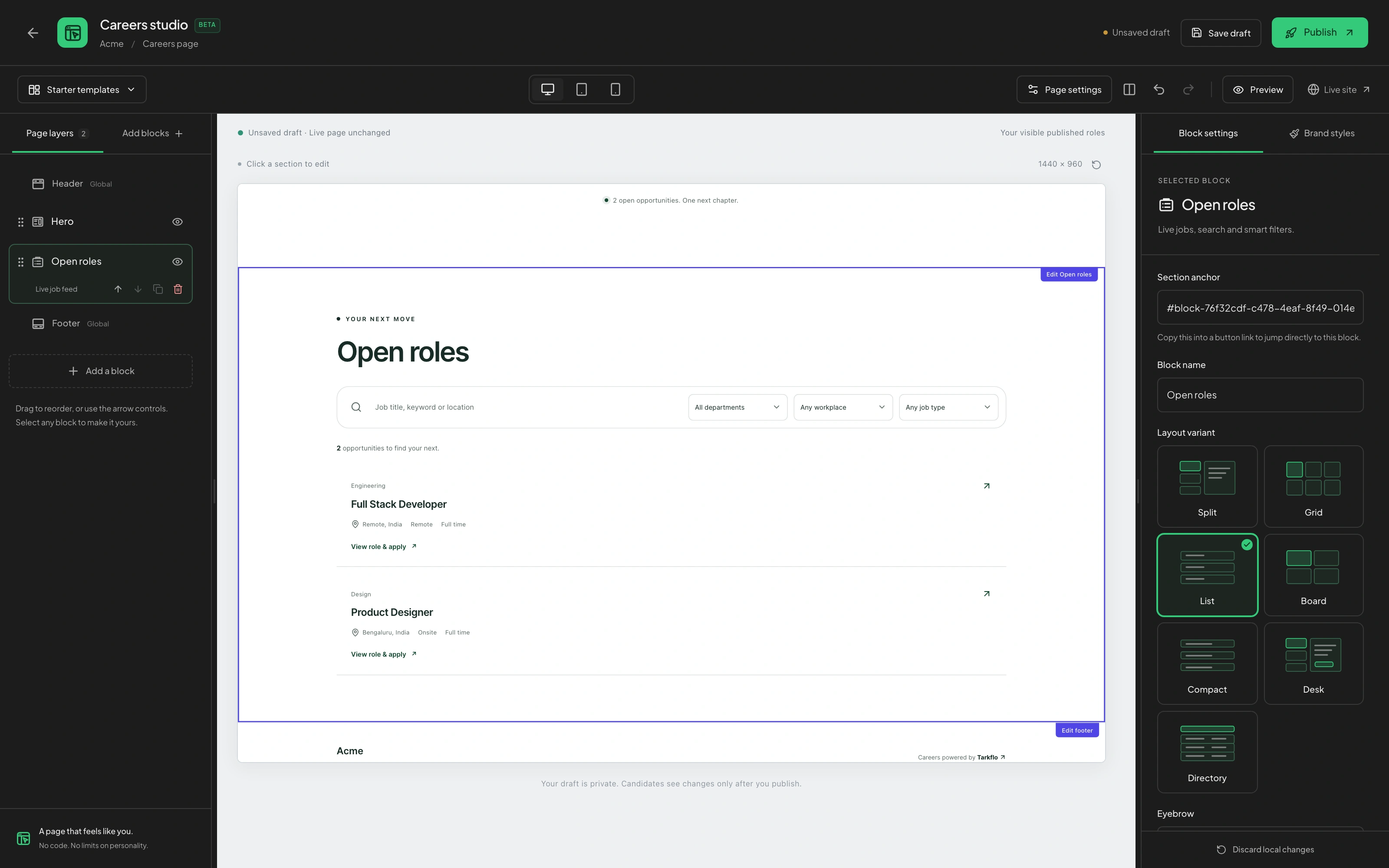
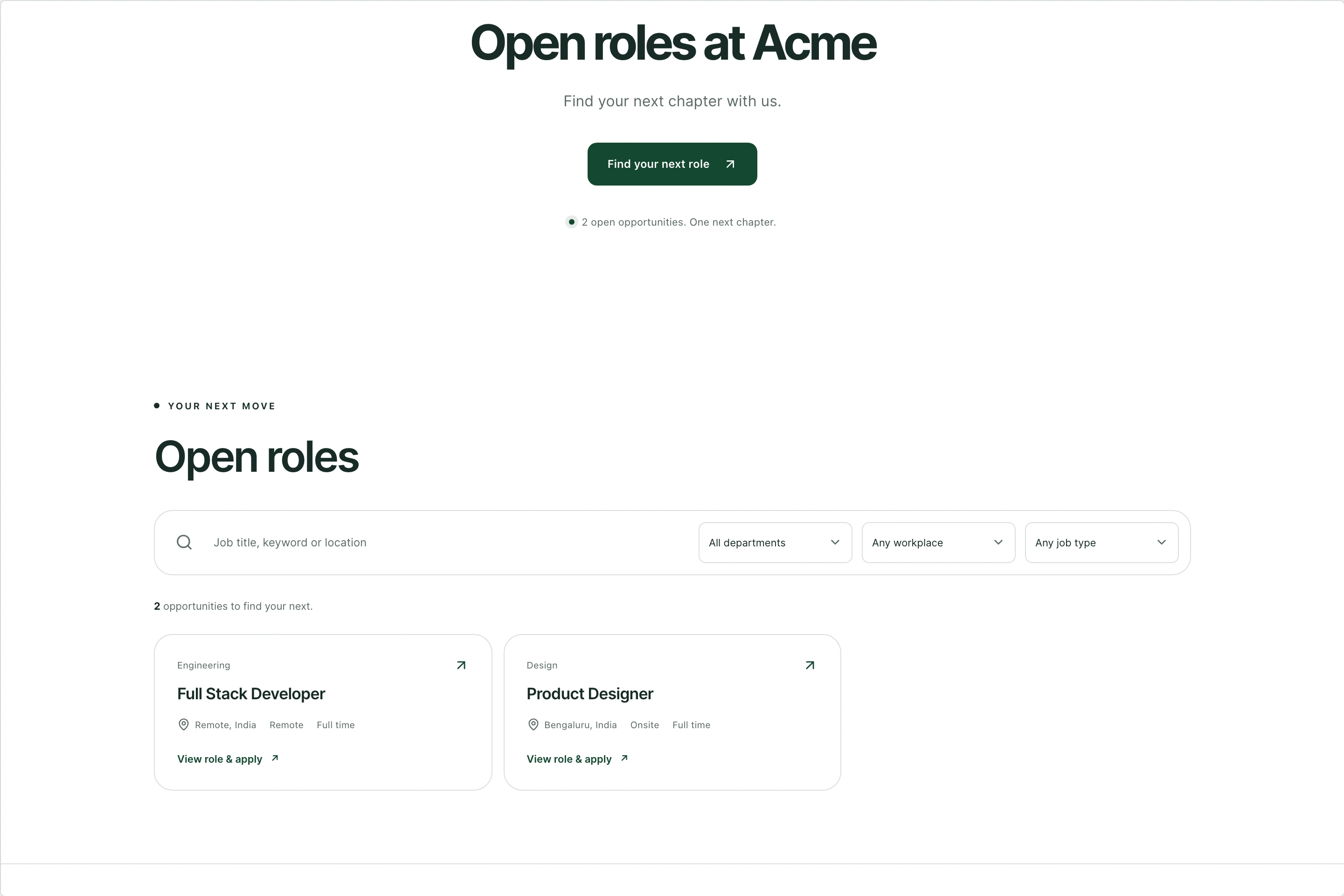
Show the roles you publish from Hire, with searchable listings and dedicated job details. Check the candidate experience in desktop, tablet and mobile previews before taking changes live.
- Live roles connected to your hiring setup
- Search plus department, workplace and employment filters
- Desktop, tablet and mobile preview controls
From draft to application
Publish with confidence. Keep applications connected.
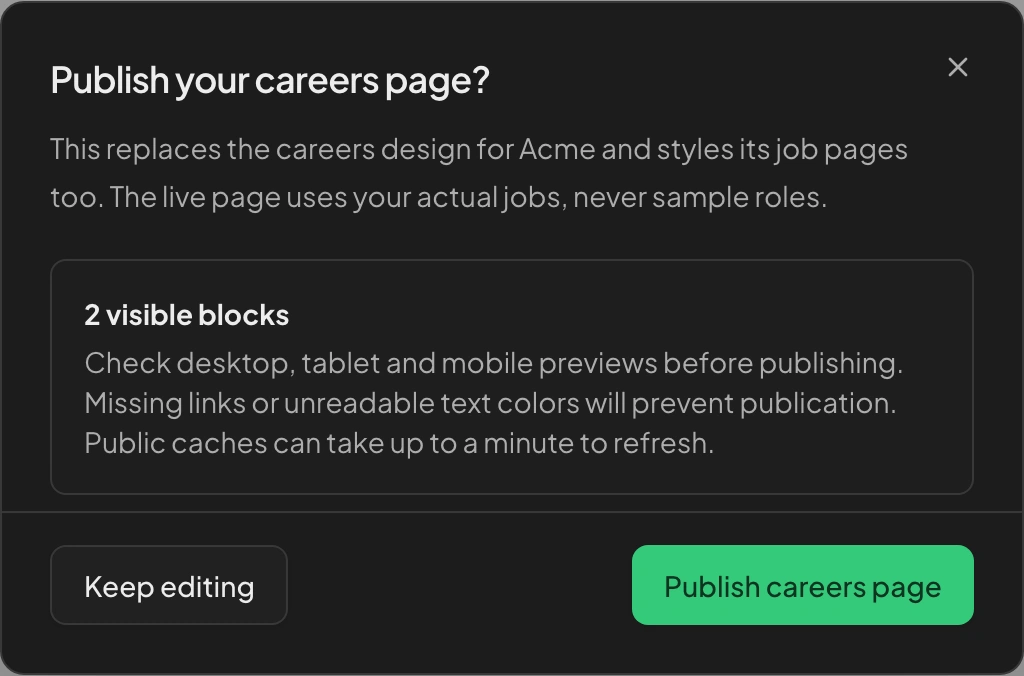
Preview changes and save a draft without changing the live page, then publish when your team is ready. Candidates can upload their CV, check their details and apply to the role your recruiters manage in Hire.
- Explicit Save draft and Publish controls
- Candidate review of CV-derived name and email
- Applications tied to the right job and workflow
From setup to next step
How it fits into your workflow.
Shape the experience
Choose a starting layout, arrange your page blocks and make the content and branding your own.
Preview the candidate journey
Review your published roles and check desktop, tablet and mobile views. Save a draft while the live page stays unchanged.
Publish and receive applications
Publish the reviewed page, share your careers destination and follow the incoming applications in Hire.
Questions about Career Page Builder.
Better together
Keep the next step connected.
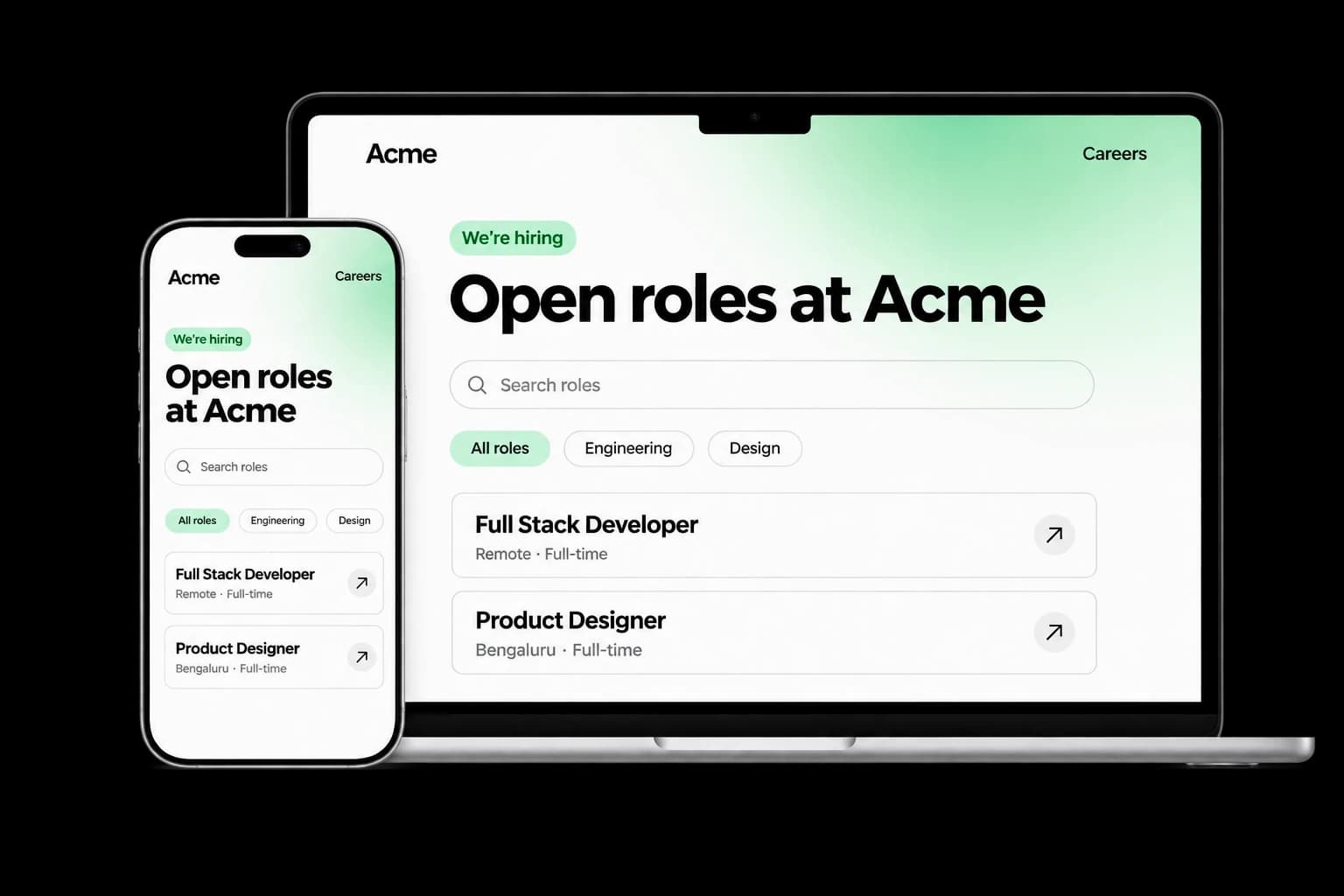
Career Page Builder
Build a branded careers experience with editable content, live job listings and applications connected to your Tarkflo hiring pipeline.
Explore the module FitScore CV Screening
FitScore CV Screening
Screen CVs against role requirements with FitScore: a 0–100 match score, confidence and supporting evidence for recruiter review.
Explore the module Screening Rounds
Screening Rounds
Collect candidate details, multiple-choice answers, written responses and one-way video in structured screening rounds connected to Hire.
Explore the module AI Interviews
AI Interviews
Run role-specific two-way AI voice interviews with follow-up questions, candidate transcripts, recordings and evaluations for human review.
Explore the module AI Proctoring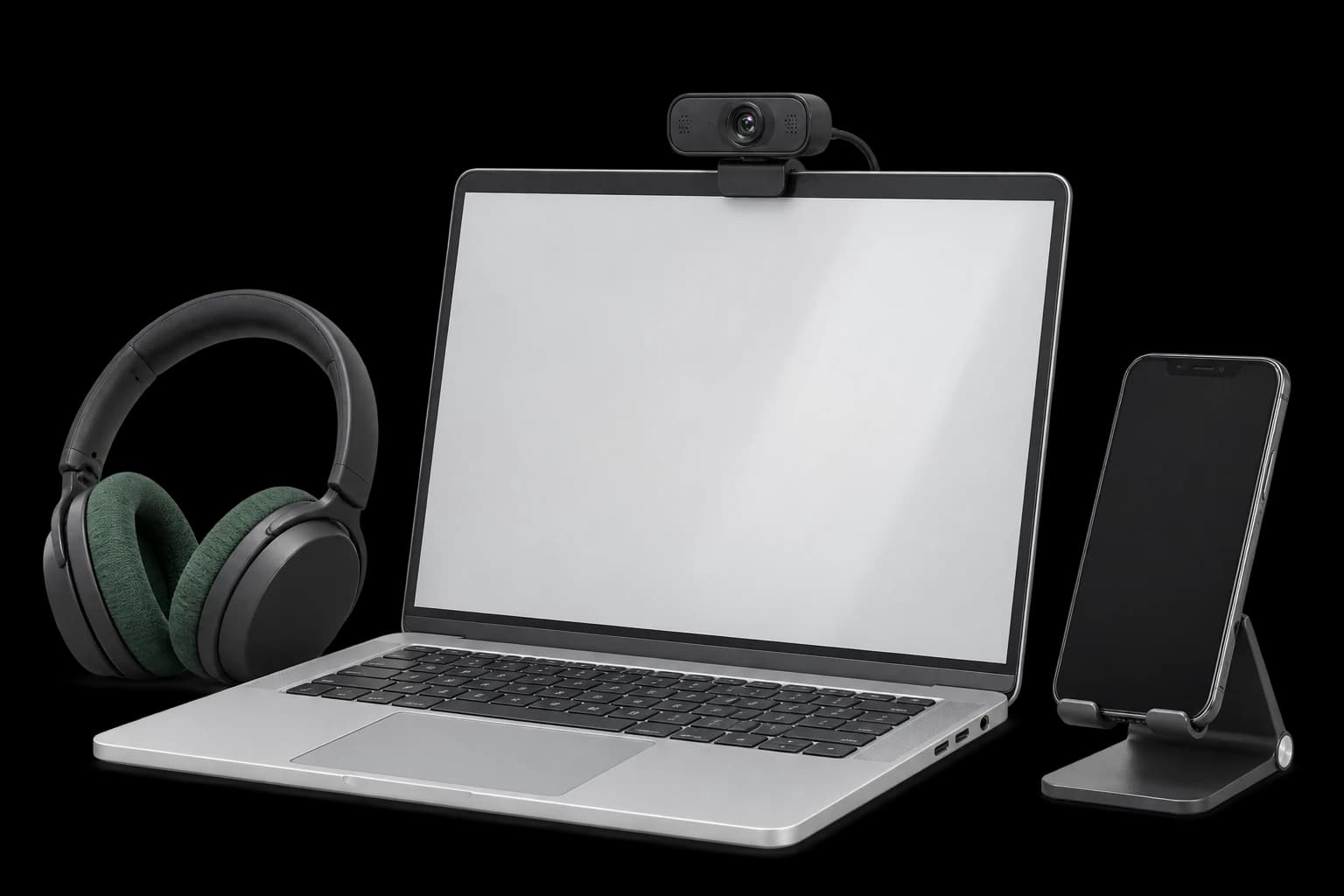
AI Proctoring
Explore configurable interview proctoring: browser and camera checks, supported audio signals, room scans, side-camera options and timestamped evidence for human review.
Explore the module Candidate Reports & Evidence
Candidate Reports & Evidence
Review interview evaluations, screening responses, transcripts and recordings in connected candidate reports, with sharing and export controls.
Explore the module Lens Conversational ATS
Lens Conversational ATS
Ask hiring questions in natural language with Lens, Tarkflo’s conversational ATS grounded in candidate records and interview evidence.
Explore the module Hiring Workflows
Hiring Workflows
Configure hiring stages, screening rounds, interviews and progression rules in connected candidate workflows, with human review where it matters.
Explore the module Candidate Communication
Candidate Communication
Keep candidate email conversations, invitations and replies connected to the relevant application and hiring history in Tarkflo Hire.
Explore the module Offers & E-signatures
Offers & E-signatures
Prepare reusable offer templates, fill candidate-specific details and track electronic acceptance in the same hiring workflow.
Explore the module Candidate Onboarding
Candidate Onboarding
Connect candidate documents, accepted offers, joining dates and onboarding tasks in Tarkflo Hire’s candidate onboarding module.
Explore the moduleYour workflow. Your next hire.
Give your next hire a better place to begin.
See how a branded careers experience connects to your actual hiring workflow.
A practical walkthrough, built around your hiring process.